Use the part you need.
I Edit in Lightroom or DxO
Keep your editor for the editing. Let birdflow sort the trip and hand over the keepers, with rating, species and place in an XMP sidecar.
- Import
Copy the trip from your camera or card, or open a folder.
- Cull
Sort a thousand photos in one pass: every bird found, scored for sharpness and named, every burst down to its best frame.
- Export
Export the keepers as original files with XMP sidecars, and open them in Lightroom or DxO.
I Shoot High ISO
Clean ISO 12800 and keep the feathers, then finish in birdflow or in your editor.
- Import
Copy the trip from your camera or card, or open a folder.
- Edit
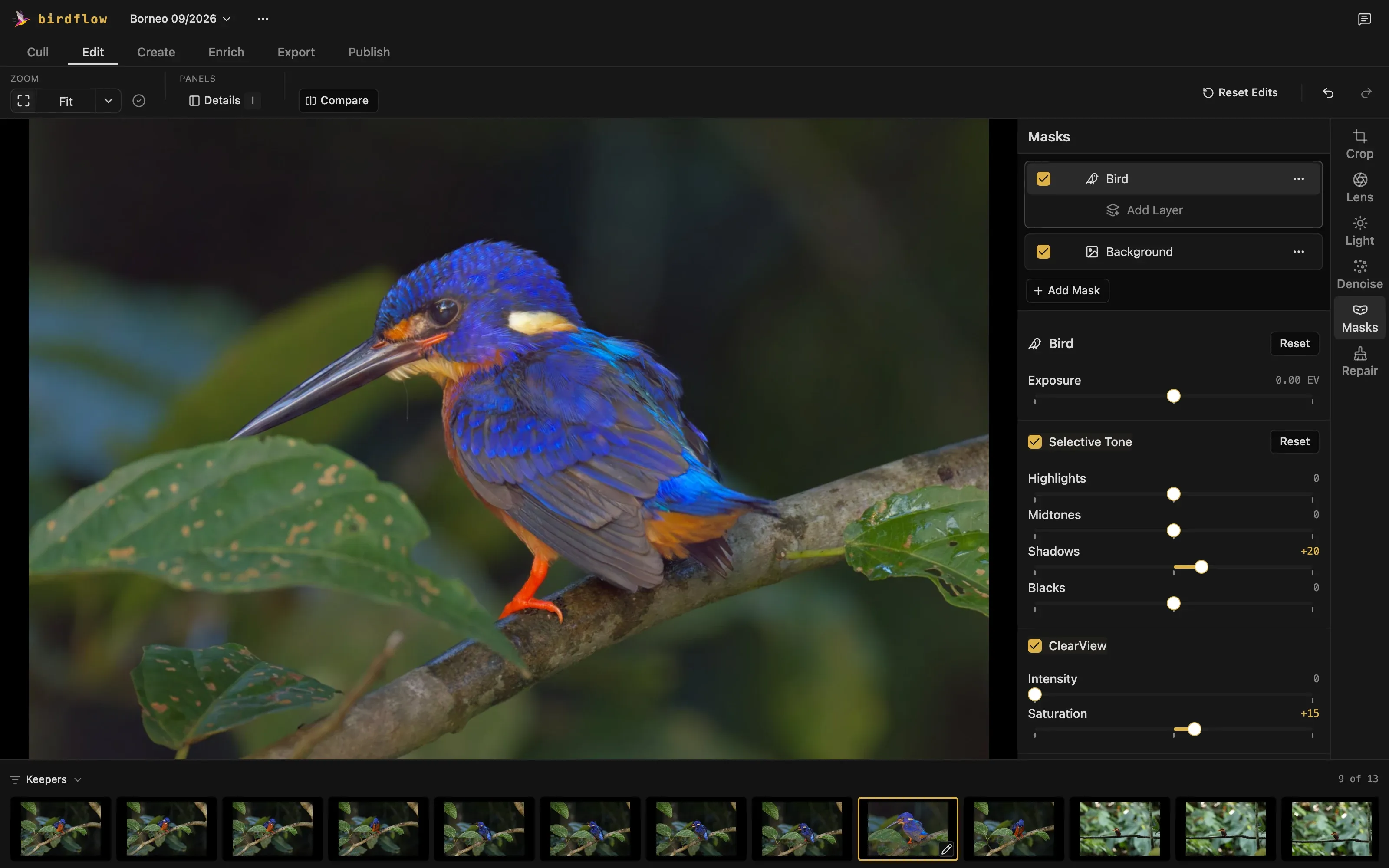
Denoise the raw file, then give the bird ClearView and darken the background with masks.
- Export
Export a JPEG to share, or a denoised DNG to finish in Lightroom or DxO.
I Log eBird
Your photos become an eBird checklist, every bird named on your own computer.
- Import
Copy the trip from your camera or card, or open a folder.
- Cull
Every bird is named, over 10,000 species anywhere in the world. Correct a name in one click.
- Enrich
Photos with GPS land on the map. Drop the others on the place you took them.
- Publish
One checklist per day and place, with counts and notes, ready to upload to eBird.
I Print and Post
Turn keepers into a flight sequence, a wingbeat grid, a field card or a collage of the whole trip.
- Import
Copy the trip from your camera or card, or open a folder.
- Cull
Find the keepers, and the bursts worth turning into something.
- Create
Pick a mode: Sequence, Colour Pop, Wingbeat Grid, Pan Blur, Field Card or Trip Collage.
- Export
Save it as a JPEG, sized for print or for posting.
I Do It All
From the camera to an eBird checklist, in one app.
- Import
Copy the trip from your camera or card, or open a folder.
- Cull
Sort a thousand photos in one pass: every bird found, scored for sharpness and named, every burst down to its best frame.
- Edit
Denoise, crop, and brighten the bird with a mask that finds it.
- Create
Turn keepers into prints and posts.
- Enrich
Put every photo on the map.
- Export
Export JPEGs to share, or the originals for your editor.
- Publish
List what you saw on an eBird checklist, ready to upload.